

newspaperPress Guidelines
Pricing
Blog
Downloaddownload

Explore our next generation products

See overview

Products

antigravityAntigravity 2.0terminalAntigravity CLIcodeAntigravity IDEsdkAntigravity SDK

Built for developers in the agent-first era

See overview
EnterpriseFrontendFullstackScienceMarketer

Everything you need to stay up-to-date and get help

Documentationkeyboard_arrow_rightChangelogSupportPressReleases

Explore our next generation products

See overview

Products

antigravityAntigravity 2.0terminalAntigravity CLIcodeAntigravity IDEsdkAntigravity SDK

Built for developers in the agent-first era

See overview
EnterpriseFrontendFullstackScienceMarketer
Pricing
Blog

Everything you need to stay up-to-date and get help

Documentationkeyboard_arrow_rightChangelogSupportPressReleases
Home
Antigravity 2.0v2.4.3keyboard_arrow_right
Overview
Getting Started
Build with Google
Feature Overview
Models
Projects
Settingskeyboard_arrow_right
Overview
Agent Settings
Artifact Review
Customizationskeyboard_arrow_right
MCP
Skills
Rules
Plugins
Hooks
Sidecars
Agent Capabilitieskeyboard_arrow_right
Permissions
Subagents
Artifactskeyboard_arrow_right
Overview
Plan
Walkthrough
Screenshots
Antigravity CLIv1.1.8keyboard_arrow_right
Overview
Getting Started
Installation & Auth
Tutorial
Using AGY CLI
Features
Gemini Migration
Prompting
Headless mode
Artifactskeyboard_arrow_right
Overview
Conversations
Agent Capabilitieskeyboard_arrow_right
Choose an execution mode
Subagents
Sandbox
Permissions
Projects
Settingskeyboard_arrow_right
Overview
AI Credits
Customizationskeyboard_arrow_right
MCP
Plugins & Skills
Status Line
Window Title
Commandskeyboard_arrow_right
Agents (/agents)
Code Search (/codesearch)
AI Credits (/credits)
Diff (/diff)
Permissions (/permissions)
Resume (/resume)
Status Line (/statusline)
Window Title (/title)
Model Quotas (/usage, /quota)
Best Practices
Troubleshooting
Reference
Antigravity SDKv0.1.7keyboard_arrow_right
Overview + Quick Start
Customizationskeyboard_arrow_right
MCP
Antigravity IDEv2.1.1keyboard_arrow_right
Overview
Getting Started
Featureskeyboard_arrow_right
Tab
Side Panel
Review Changes
Artifactskeyboard_arrow_right
Plan
Walkthrough
Screenshots
Browser Recordings
Browserkeyboard_arrow_right
Overview
Allowlist / Denylist
Separate Chrome Profile
Customizationskeyboard_arrow_right
MCP
Skills
Rules
Workflows
Plugins
Hooks
Settings
Migrationkeyboard_arrow_right
Firebase Studio Migration
Enterprise
Plans
FAQ
  • side_navigation
  • Antigravity 2.0
  • >
  • Overview

Antigravity 2.0link

Overviewlink

As we go deeper into the agent-first era, Antigravity is evolving to further empower developers. Introducing Antigravity 2.0, a standalone desktop application tailored for managing AI agents that execute complex knowledge and coding tasks.

What is Antigravity 2.0?link

Antigravity 2.0 serves as your AI agents’ central command center, providing a unified platform to launch, monitor, and orchestrate their activities. Unlike its predecessor, the Agent Manager, Antigravity 2.0 is a standalone application that functions independently of an IDE.

Within this interface, you can orchestrate agents both synchronously and asynchronously to:

  • Execute system commands
  • Perform file read/write operations
  • Conduct web searches
  • Integrate with external tools via skills and MCP servers
  • Manage subagents
  • Interact with Chrome
  • Create artifacts / implementation plans

Whether you are performing deep research or building new applications, Antigravity offers a streamlined interface for all types of knowledge work.
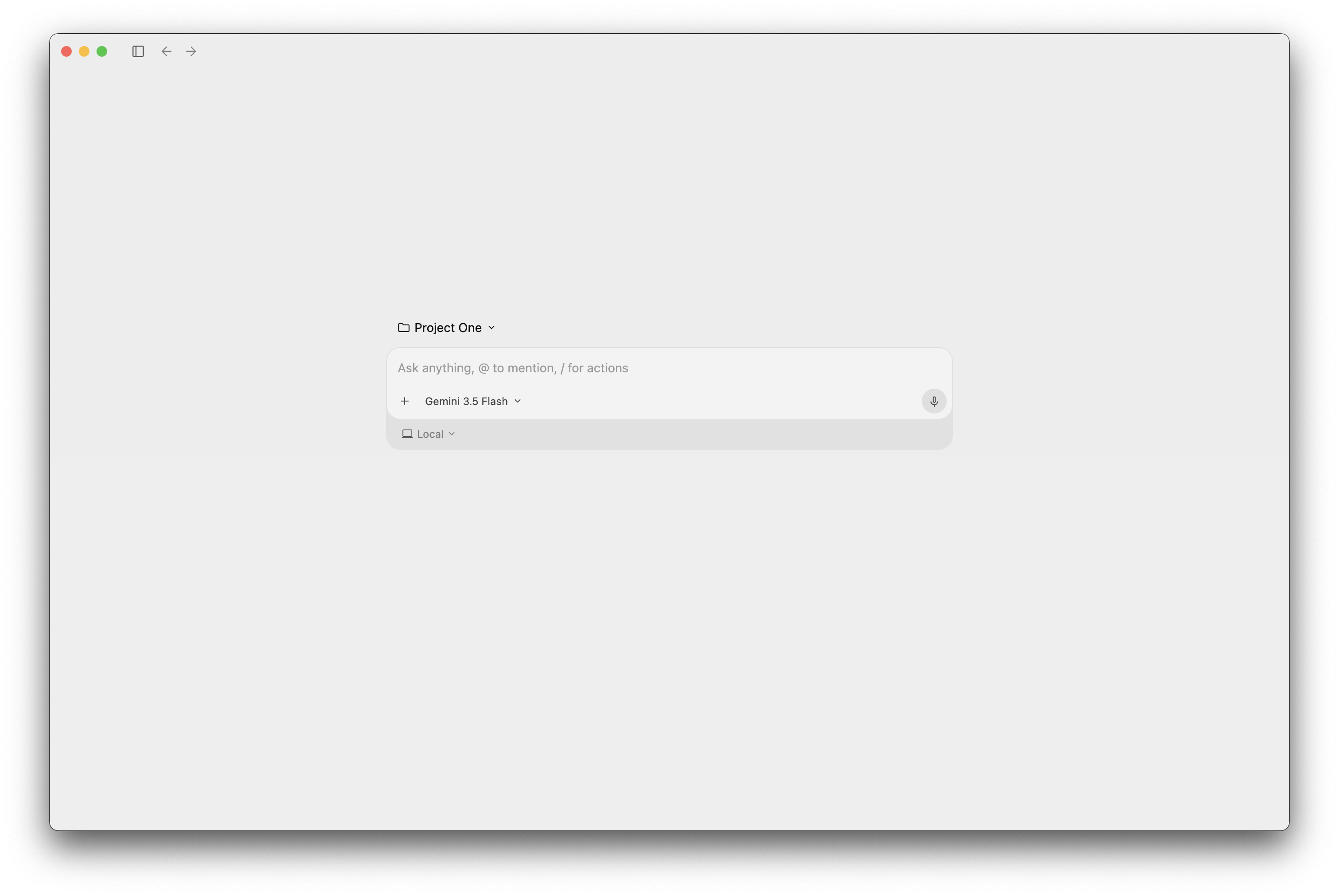
Antigravity 2.0 UI

Getting Startedlink

Ready to dive in? Check out the Getting Started guide to install Antigravity 2.0 and start your first project.

Home
Getting Started
On this Page
Antigravity 2.0Overview