

Marketplace
Section titled “Marketplace”The Marketplace lets you discover, install, and manage curated plugins that extend your agent with reusable skills, MCP servers, rules, and subagents.
Browse and install plugins
Section titled “Browse and install plugins”To browse and install marketplace plugins in Antigravity 2.0, follow these steps:
-
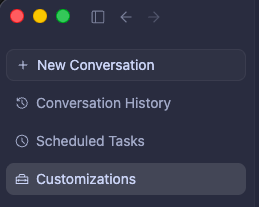
In the left sidebar, click the Customizations tab (below Scheduled Tasks):
-
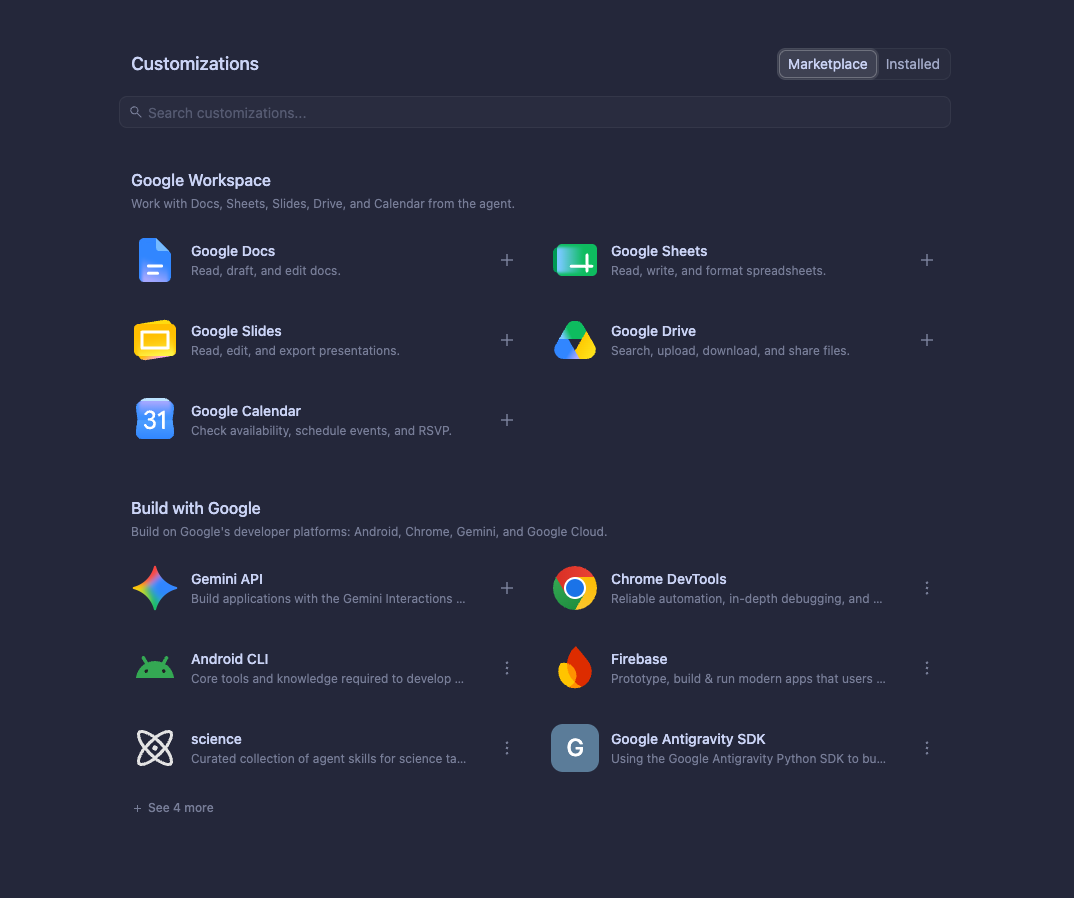
Click the Marketplace tab to view available plugins:
-
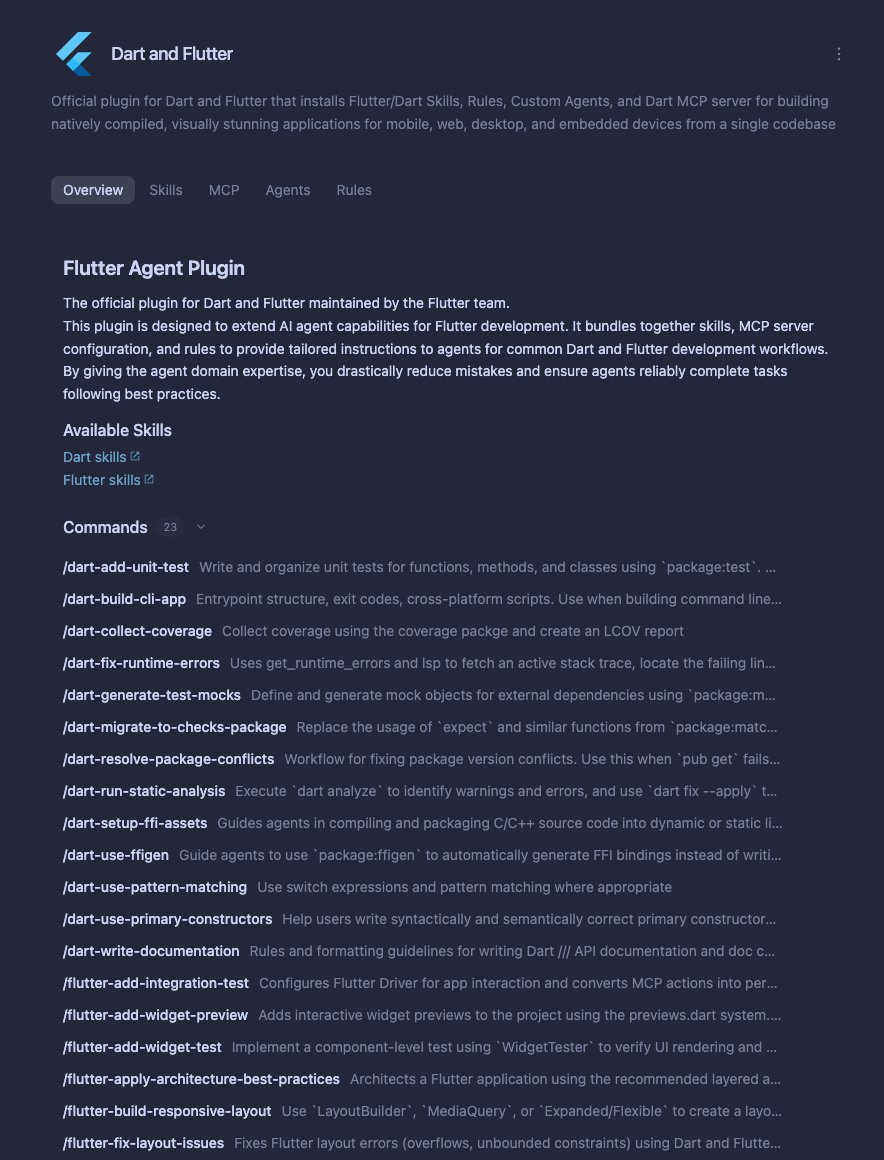
Click any plugin card to inspect its details and bundled capabilities:
-
Click + on the plugin card to install it.
Manage installed plugins
Section titled “Manage installed plugins”To inspect, toggle, or uninstall existing plugins:
-
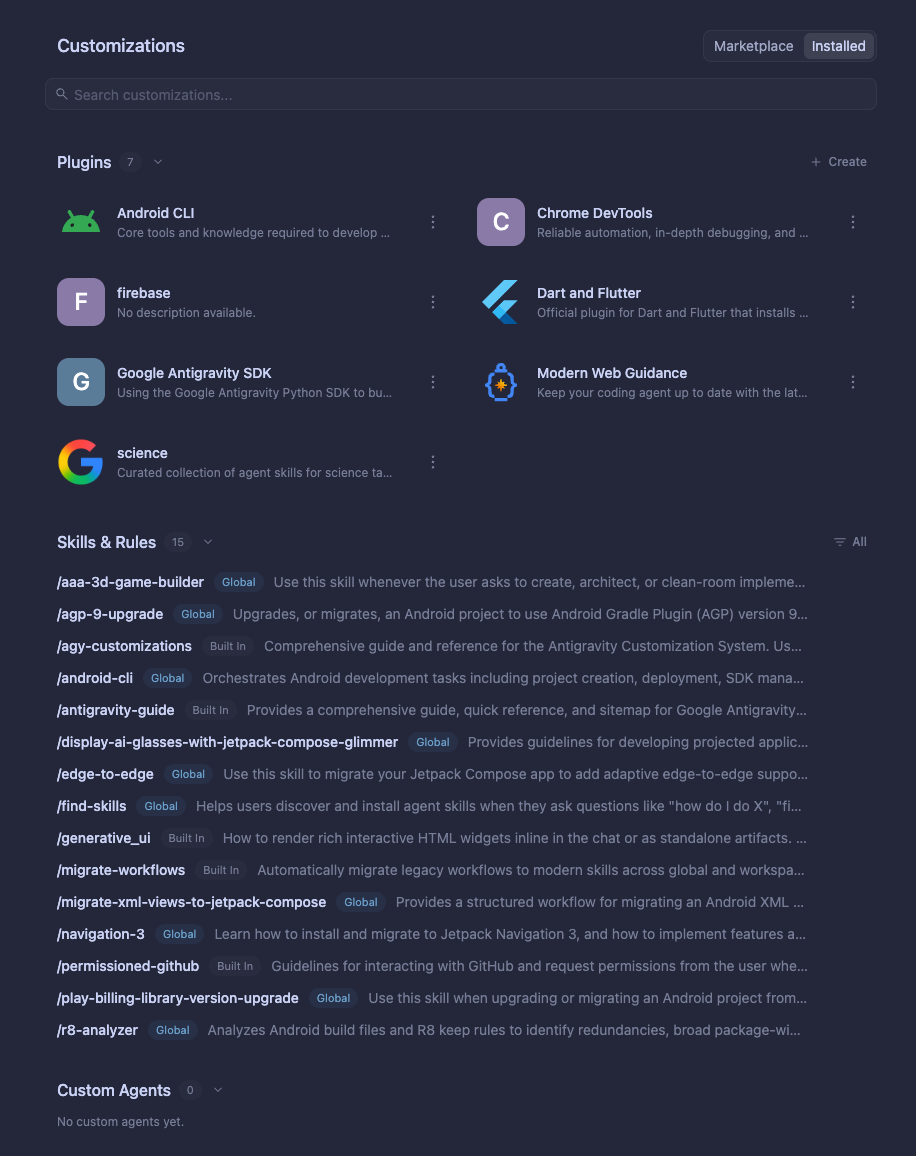
In the Customizations panel, click the Installed tab:
-
Click the toggle switch beside any plugin to enable or disable it.
-
To uninstall a plugin, click the plugin card and select Uninstall.
Any plugins you install in Antigravity 2.0 automatically sync and appear in the Antigravity CLI’s Installed tab.
Open the Plugins Manager in the CLI
Section titled “Open the Plugins Manager in the CLI”In the Antigravity CLI, open the interactive Plugins Manager using the /plugin
slash command (or its alias /plugins):
/pluginInteractive CLI Plugins Manager — press Tab (or click a tab) to switch between Installed and Discover, ↑/↓ to navigate, Enter to expand details, Space to toggle enable/disable, and Ctrl+S to install or uninstall.
Press Tab to switch between the Installed tab and the Discover tab.
Discover tab
Section titled “Discover tab”Use the Discover tab to browse the marketplace catalog and install new plugins:
- Search plugins: Start typing to search and filter for specific plugins.
- Install from a local directory: Highlight Install from local directory and press Enter to provide a local filesystem path for plugin installation.
- View plugin details: Highlight a plugin and press Enter to
expand its details view. The details view displays:
- Description
- Included components (MCP servers, skills, rules, agents, etc.)
- Marketplace name
- Version
- Install or uninstall: Press Ctrl + S on an uninstalled plugin to install it, or press Ctrl + S on an installed plugin to uninstall it.
After installation
Section titled “After installation”Once a plugin is installed:
- Discover tab: A green dot (
●) appears beside the plugin name indicating its installed status. - Installed tab: The plugin name appears in the Installed tab list.
Installed tab
Section titled “Installed tab”Use the Installed tab to inspect and manage the plugins you have installed:
- Search installed plugins: Start typing to filter your installed plugins.
- Enable or disable: Press Space on an installed plugin to toggle it between enabled and disabled.
- View plugin details: Press Enter on an installed plugin to
expand its details view. The details view displays:
- Description
- Skills (if applicable)
- MCP servers (if applicable)
- Rules (if applicable)
- Agents (if applicable)
- Marketplace name
- Local installation path
- Version
- Uninstall: Press Ctrl + S on an installed plugin to uninstall it.
Keyboard shortcuts
Section titled “Keyboard shortcuts”| Key | Tab | Action |
|---|---|---|
| Tab | Both | Switch between the Installed tab and Discover tab. |
| Any key | Both | Search and filter plugins in the active tab. |
| Enter | Both | Expand plugin details (or select Install from local directory in Discover). |
| Ctrl + S | Both | Install an uninstalled plugin, or uninstall an installed plugin. |
| Space | Installed | Toggle enable or disable on an installed plugin. |
Inline /plugin commands
Section titled “Inline /plugin commands”In addition to the interactive panel, /plugin supports inline commands to
install, uninstall, enable, disable, and list plugins directly from
the prompt without opening the Plugins Manager UI:
-
Install from a marketplace or local directory:
/plugin install <plugin-name>@<marketplace-name>
/plugin install <local-path>
For example, running
/plugin install firebase@agent-marketplaceoutputs:Successfully installed plugin "firebase" from "agent-marketplace" -
Manage and list plugins inline:
/plugin uninstall <plugin-name>
/plugin enable <plugin-name>
/plugin disable <plugin-name>
/plugin list
Next steps
Section titled “Next steps”- Plugins: Learn how to author custom
plugin.jsonmanifests and package your own plugins. - Build with Google: Explore curated Google plugins for Firebase, Android, Flutter, Chrome DevTools, BigQuery, and more.
- CLI Reference: View all slash commands and keyboard shortcuts in the Antigravity CLI.