

Review changes in the editor
Section titled “Review changes in the editor”When the agent edits files in a conversation, its changes appear inline in your editor: new and changed lines are highlighted, and each change has Accept and Reject above it. Press Alt+Enter (Option+Enter on macOS) to accept the focused change, or Alt+Shift+Enter (Option+Shift+Enter on macOS) to reject it. In the Agent side panel, the bar above the prompt input lists the files with pending changes, with Reject all and Accept all buttons, and Review on a turn’s summary of changed files takes you to its changes in the editor.
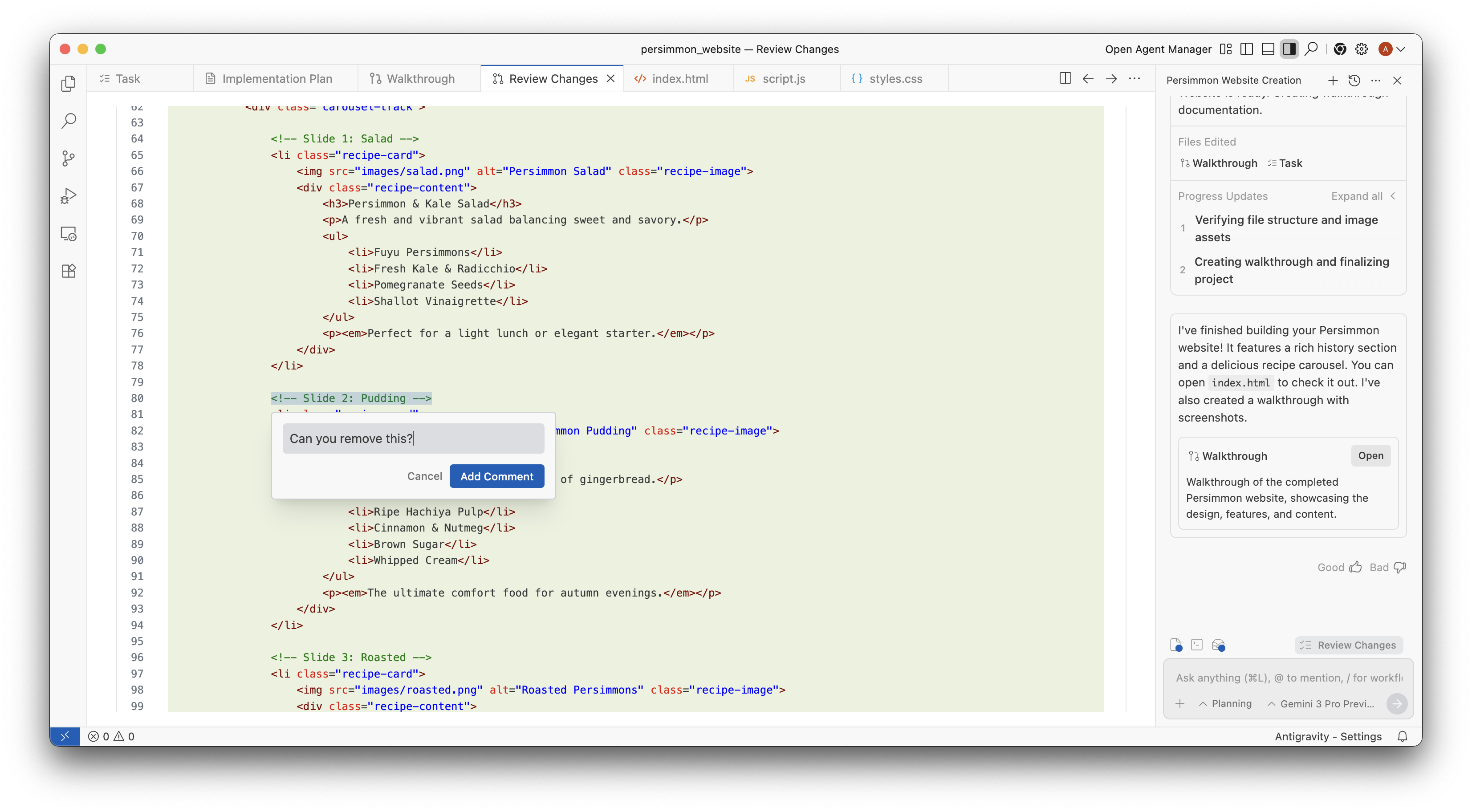
Just like with artifacts, you can comment on the code to communicate with the agent. Select the lines, press Cmd+Alt+M (Ctrl+Alt+M on Windows/Linux) or click + in the gutter, type your comment, and click Add Comment to Chat. The comment is queued for your next prompt.