

Build plugins
Section titled “Build plugins”You can package skills, Model Context Protocol (MCP)
servers, custom agents and subagents,
rules, and lifecycle hooks into a single
versioned plugin directory. Once validated locally with
agy plugin validate --strict, you can share your plugin across workspaces,
distribute it from a GitHub repository, or submit it to the
Antigravity Marketplace.
Quickstart: create your first plugin
Section titled “Quickstart: create your first plugin”Create a working Antigravity plugin with a custom skill and validate it locally in three steps:
-
Create the plugin directory and
plugin.jsonmanifestEvery plugin requires a
plugin.jsonmanifest at<plugin-root>/plugin.json(or<plugin-root>/.antigravity-plugin/plugin.json):mkdir -p my-first-plugin/skills/helloCreate
my-first-plugin/plugin.json:{ "$schema": "https://antigravity.google/schemas/v1/plugin.json", "name": "my-first-plugin", "displayName": "My First Plugin", "version": "1.0.0", "description": "Starter plugin that greets the user in Antigravity.", "suggestedPrompts": [ "Greet me and explain how this plugin is structured" ] } -
Add a skill (
skills/hello/SKILL.md)Create
my-first-plugin/skills/hello/SKILL.md:--- name: hello description: >- Greet the user warmly and explain how this plugin works. Use when the user asks for a greeting or wants to test my-first-plugin. --- Greet the user by name if known, confirm that `my-first-plugin` is active, and briefly summarize the components an Antigravity plugin can bundle (skills, MCP servers, subagents, rules, and hooks). -
Validate and install locally
Use the
agy pluginCLI to validate your manifest and install the plugin locally:# Validate plugin.json, MCP servers, and component discovery agy plugin validate --strict ./my-first-plugin # Install the plugin into your local Antigravity environment agy plugin install ./my-first-plugin # Verify the plugin is installed and enabled agy plugin list
Once installed, open Antigravity and invoke /hello in chat, or click the
starter prompt chip on the plugin’s detail page under Customizations >
Installed.
Directory structure
Section titled “Directory structure”A plugin is a directory containing a required manifest file (plugin.json) and
optional files or subdirectories for documentation, visual assets, and
customization components:
plugins/<plugin-name>/
├── plugin.json               # Required manifest (or .antigravity-plugin/plugin.json)
├── README.md                 # Optional pre-install documentation in Marketplace UI
├── assets/                   # Optional visual assets (for example, assets/logo.svg)
│   └── logo.svg
├── scripts/                  # Optional helper scripts (executable 0755 in Marketplace bundles)
├── mcp.json                  # Optional MCP server definitions
├── hooks.json                # Optional lifecycle hooks definition
├── skills/                   # Optional skills directory
│   └── <skill-name>/
│       ├── SKILL.md          # Required skill instructions and YAML frontmatter
│       ├── scripts/          # Optional skill-scoped helper scripts (executable 0755)
│       └── references/       # Optional reference docs loaded on demand
├── agents/                   # Optional custom agent and subagent templates
│   └── <agent-name>.md
└── rules/                    # Optional rules directory
    ├── AGENTS.md             # Optional always-on plugin rule
└── <rule-name>.md # Optional frontmatter-configured rule-
Manifest location (
plugin.jsonor.antigravity-plugin/plugin.json): Placeplugin.jsonat<plugin-root>/plugin.jsonfor standalone Antigravity plugins, or inside<plugin-root>/.antigravity-plugin/plugin.jsonfor multi-provider repositories that also ship.claude-plugin/plugin.jsonor.cursor-plugin/plugin.json(.antigravity-plugin/plugin.jsontakes precedence over rootplugin.json). Keep component directories (skills/,agents/,rules/,scripts/,mcp.json, andhooks.json) at<plugin-root>. -
Pre-install documentation (
README.md): Include aREADME.mdat<plugin-root>/README.md(or.antigravity-plugin/README.md) to document setup prerequisites, included tools, and example workflows in the Marketplace detail view before installation: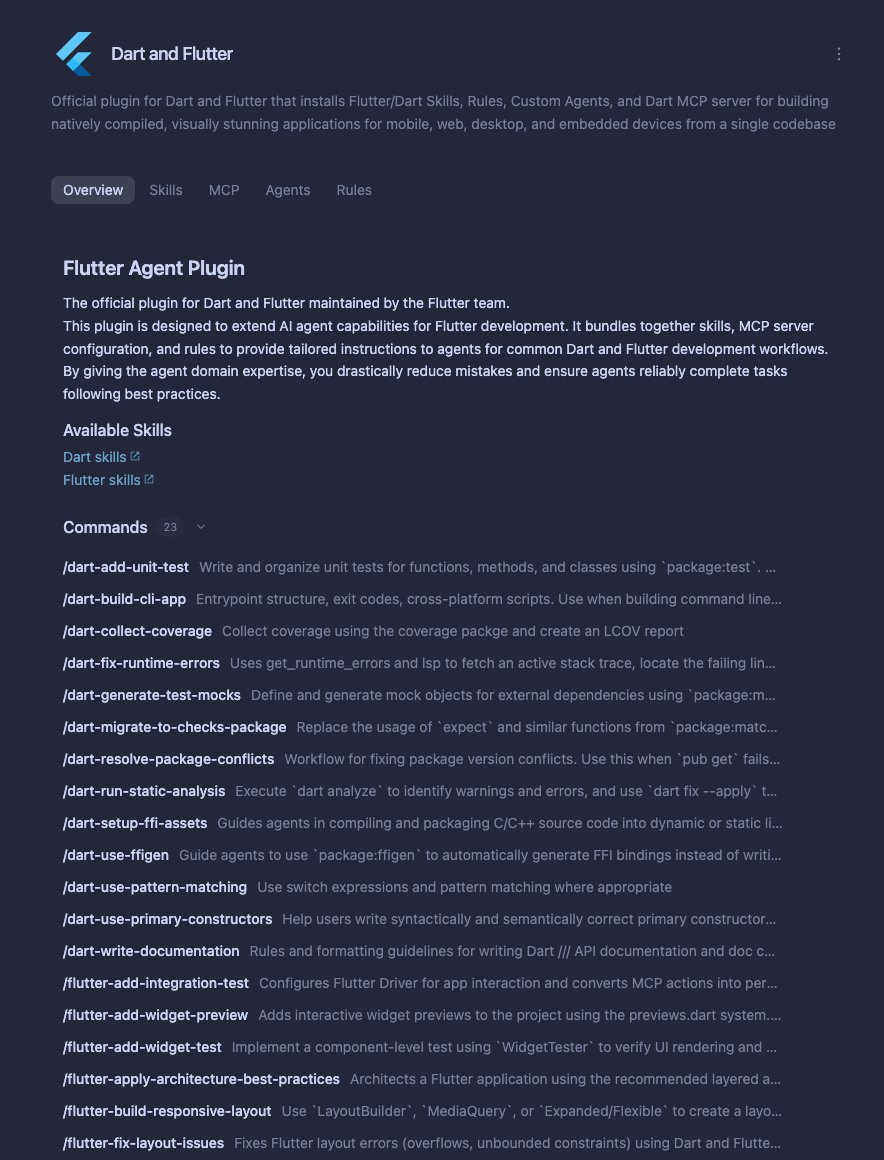
Manifest file (plugin.json)
Section titled “Manifest file (plugin.json)”Every plugin requires a plugin.json file to identify the directory as a plugin
and define its metadata, presentation fields, and attribution:
{
  "$schema": "https://antigravity.google/schemas/v1/plugin.json",
  "name": "acme-cloud",
  "displayName": "Acme Cloud",
  "version": "1.2.0",
  "description": "Deploy and monitor Acme Cloud services in Antigravity.",
  "logo": "assets/logo.svg",
  "suggestedPrompts": [
    "List my failing Acme Cloud deployments from the last 24 hours",
    "Create a staging environment for the current branch",
    "Audit our Acme Cloud IAM policies for overly broad permissions"
  ],
  "author": {
    "name": "Acme Corp",
    "url": "https://acme.example.com"
  },
  "homepage": "https://docs.acme.example.com/antigravity-plugin",
  "repository": "https://github.com/acme/acme-antigravity-plugin",
  "license": "Apache-2.0",
  "keywords": ["acme", "cloud", "deployments", "monitoring"]
}
Field reference
Section titled “Field reference”| Field | Type | Required | Description |
|---|---|---|---|
name | String | Yes (CLI and Marketplace) / Optional (local folders) | The unique, machine-readable lowercase kebab-case identifier of the plugin (^[a-z0-9]+(-[a-z0-9]+)*$). Required by agy plugin validate --strict, agy plugin install, and the Marketplace; defaults to the folder name when loaded from a local directory without a name. Namespaces bundled MCP servers (<name>_<server>). |
displayName | String | Yes (Marketplace) / Optional (local) | Human-readable product or brand title shown in Marketplace cards and plugin lists instead of name (for example, "Acme Cloud"). Omit suffixes like "Plugin" or "MCP", and do not prefix with "Antigravity", "Gemini", "Claude", or "Cursor". |
description | String | Yes (Marketplace) / Optional (local) | A concise 1–2 sentence summary of the plugin’s purpose and capabilities, displayed on Marketplace cards and plugin listings (120–160 characters recommended). |
version | String | Yes (Marketplace) / Optional (local) | Plugin version string (MAJOR.MINOR.PATCH Semantic Versioning recommended, such as "1.2.0"). Increment on every release so installed clients detect updates. |
logo | String | Yes (Marketplace) / Optional (local) | Relative path to a bundled 1:1 square icon inside the plugin (.svg, .png, .jpg, .jpeg, or .webp, >= 128x128px with ~10% transparent padding, such as "assets/logo.svg"). Must remain legible on both Light and Dark themes. |
suggestedPrompts | String[] | Recommended | Up to 3 actionable starter prompts displayed as clickable chips on the plugin detail page. |
skills | String or String[] | No | Extra skill directories, relative to <plugin-root>, loaded in addition to the default skills/ folder (for example, ["./extra-skills"]). Omit when using the default skills/ directory. |
disabled | Boolean | No | Whether the plugin starts disabled when first installed (false by default). User enable or disable choices take precedence. |
author | String or Object | Yes (Marketplace) / Optional (local) | Publisher attribution as a string or { "name": "Org Name", "url": "https://example.com" } (url must use https://). |
homepage | String | Recommended | Public https:// URL pointing to the plugin’s documentation or product landing page. |
repository | String | No | Public https:// source code repository URL (for example, "https://github.com/acme/acme-antigravity-plugin"). |
license | String | Recommended | SPDX license identifier (for example, "Apache-2.0", "MIT", or "Proprietary"). |
keywords | String[] | Recommended | Lowercase search keywords used for Marketplace search and filtering. |
Automatic validation
Section titled “Automatic validation”To enable automatic autocomplete and validation in editors like VS Code or
JetBrains IDEs, include the $schema key pointing to the official schema URL:
"$schema": "https://antigravity.google/schemas/v1/plugin.json"You can also validate your manifest and all bundled components from your
terminal using agy plugin validate:
agy plugin validate --strict ./my-pluginFull JSON schema
Section titled “Full JSON schema”The official JSON schema is hosted at
https://antigravity.google/schemas/v1/plugin.json:
{
  "$schema": "https://json-schema.org/draft/2020-12/schema",
  "$id": "https://antigravity.google/schemas/v1/plugin.json",
  "title": "Antigravity plugin manifest",
  "type": "object",
  "required": ["name"],
  "additionalProperties": false,
  "properties": {
    "$schema": { "type": "string" },
    "name": {
      "type": "string",
      "pattern": "^[a-z0-9]+(-[a-z0-9]+)*$"
    },
    "displayName": { "type": "string" },
    "description": { "type": "string" },
    "version": { "type": "string" },
    "disabled": { "type": "boolean", "default": false },
    "logo": { "type": "string" },
    "suggestedPrompts": {
      "type": "array",
      "items": { "type": "string", "pattern": "\\S" },
      "maxItems": 3
    },
    "skills": {
      "oneOf": [
        { "type": "string", "pattern": "\\S" },
        { "type": "array", "items": { "type": "string", "pattern": "\\S" } }
      ]
    },
    "author": {
      "anyOf": [
        { "type": "string" },
        {
          "type": "object",
          "additionalProperties": false,
          "properties": {
            "name": { "type": "string" },
            "email": { "type": "string" },
            "url": { "type": "string" }
          }
        }
      ]
    },
    "homepage": { "type": "string" },
    "repository": { "type": "string" },
    "license": { "type": "string" },
    "keywords": {
      "type": "array",
      "items": { "type": "string" }
    },
    "extensions": {
      "type": "object",
      "additionalProperties": { "type": "object" }
    }
  }
}
Supported components
Section titled “Supported components”A plugin can bundle any combination of the following components relative to
<plugin-root>:
| Component | Default path | Purpose |
|---|---|---|
| Skills | skills/<skill-name>/SKILL.md | Task-specific procedural instructions, scripts, and reference docs loaded on demand or via /<skill-name>. |
| MCP servers | mcp.json | Remote HTTPS or local stdio Model Context Protocol tool servers, including OAuth and user-prompted credential variables. |
| Subagents | agents/<agent-name>.md | Specialized custom agents and subagents with dedicated system prompts, model tiers, and tool allowlists. |
| Rules | rules/AGENTS.md or rules/<rule-name>.md | Persistent behavioral constraints, domain guardrails, or glob-scoped coding standards. |
| Lifecycle hooks | hooks.json | Synchronous shell commands or prompt evaluations that inspect, block, or augment agent lifecycle events and tool calls. |
Plugin path variables
Section titled “Plugin path variables”Installed plugins are unpacked into a read-only plugin directory
(~/.gemini/config/plugins/<plugin-name>) that is replaced when the plugin
updates. To keep your plugin self-contained across machines and operating
systems, reference these variables in your plugin’s MCP server configuration
instead of hardcoding absolute paths:
| Variable | Resolves to |
|---|---|
${PLUGIN_ROOT} | The absolute path of the read-only plugin root directory (~/.gemini/config/plugins/<plugin-name>). Expanded in args, cwd, and custom env values in MCP server definitions, and automatically exported as PLUGIN_ROOT in every plugin MCP server environment. |
${PLUGIN_DATA} | The absolute path of a persistent, writable data directory created for the plugin outside your workspace. Expanded in args, cwd, and custom env values in MCP server definitions, and automatically exported as PLUGIN_DATA in every plugin MCP server environment. |
${VARIABLE_NAME} | A user-supplied credential or configuration value declared in mcpServers.<server>.variables (expanded in command, args, env, url, headers, and oauth). |
Antigravity automatically sets the PLUGIN_ROOT and PLUGIN_DATA environment
variables for every plugin MCP server process, and expands ${PLUGIN_ROOT} and
${PLUGIN_DATA} inside args, cwd, and custom env keys in your MCP server
configuration:
{
  "mcpServers": {
    "my-local-mcp-server": {
      "command": "python3",
      "args": ["${PLUGIN_ROOT}/scripts/mcp_server.py"],
      "env": {
        "CACHE_DIR": "${PLUGIN_DATA}/cache"
      }
    }
  }
}
For all supported MCP server properties, refer to MCP configuration structure.
Authoring plugin components
Section titled “Authoring plugin components”Agent skills
Section titled “Agent skills”Skills package domain-specific instructions, scripts, and
reference files at skills/<skill-name>/SKILL.md. At session startup, only each
skill’s name and description are loaded into context; the full SKILL.md
body is loaded on demand when the agent triggers the skill or the user runs
/<skill-name>.
skills/
└── deploy-service/
    ├── SKILL.md           # Required: YAML frontmatter and instructions
    ├── scripts/           # Optional: helper scripts (executable 0755)
    ├── references/        # Optional: reference docs read on demand
    └── assets/            # Optional: templates or static files
---
name: deploy-service
description: >-
Deploy and verify a service on Acme Cloud. Use when the user asks to
deploy, roll out, or promote a service to staging or production.
---
## Instructions
1. Run `node scripts/check-credentials.mjs` from this skill directory to
verify active Acme Cloud credentials.
2. Follow the rollout checklist in `references/rollout-checklist.md`.| Frontmatter field | Required | Description |
|---|---|---|
name | Yes | Lowercase kebab-case identifier (1–64 characters) that must match the parent directory name (skills/<name>/SKILL.md). Exposed as /<name> in chat. |
description | Yes | Explains both what the skill does and when the agent should trigger it (1–1,024 characters). |
disable-model-invocation | No | When true, prevents automatic model invocation so the skill runs only when invoked explicitly via /<name>. Defaults to false. |
license / compatibility | No | Optional license identifier or environment prerequisites (such as required CLI tools or network access). |
MCP servers
Section titled “MCP servers”Plugins can bundle MCP server definitions using the standard
mcpServers object structure in <plugin-root>/mcp.json. At
runtime, each server key <server-key> is namespaced with the plugin name as
<plugin-name>_<server-key>.
- Remote HTTPS (
url/serverUrl) vs. localstdio(command+args): Prefer remote HTTPS MCP endpoints or cross-platform Node.js scripts ("command": "node") so your plugin works across macOS, Linux, and Windows. - User-prompted credentials (
variables) and OAuth (oauth): Declarevariablesinside a server entry (mcpServers.<server>.variables) to prompt users for API keys in a setup dialog before enabling the plugin, or configureoauthfor browser-based sign-in.
{
  "mcpServers": {
    "cloud-oauth": {
      "url": "https://mcp.acme.example.com/v1/mcp",
      "oauth": {
        "clientId": "antigravity-marketplace-client"
      }
    },
    "cloud-token": {
      "url": "https://api.acme.example.com/mcp",
      "headers": {
        "Authorization": "Bearer ${ACME_API_TOKEN}"
      },
      "variables": [
        {
          "name": "ACME_API_TOKEN",
          "title": "Acme Cloud API Token",
          "description": "Personal access token with read:services and deploy scopes.",
          "link": "https://console.acme.example.com/settings/tokens"
        }
      ]
    },
    "local-helper": {
      "command": "node",
      "args": [
        "${PLUGIN_ROOT}/scripts/mcp-server.mjs",
        "--data-dir",
        "${PLUGIN_DATA}"
      ]
    }
  }
}| Variable field | Type | Required | Description |
|---|---|---|---|
name | String | Yes | Variable identifier (for example, "ACME_API_TOKEN"), interpolated as ${ACME_API_TOKEN} in command, args, env, url, or headers. |
title | String | No | Human-readable label shown in the credential setup prompt (defaults to name). |
description | String | No | Help text explaining what value to provide and any required token scopes. |
link | String | No | URL opened when the user clicks to create or look up the credential. |
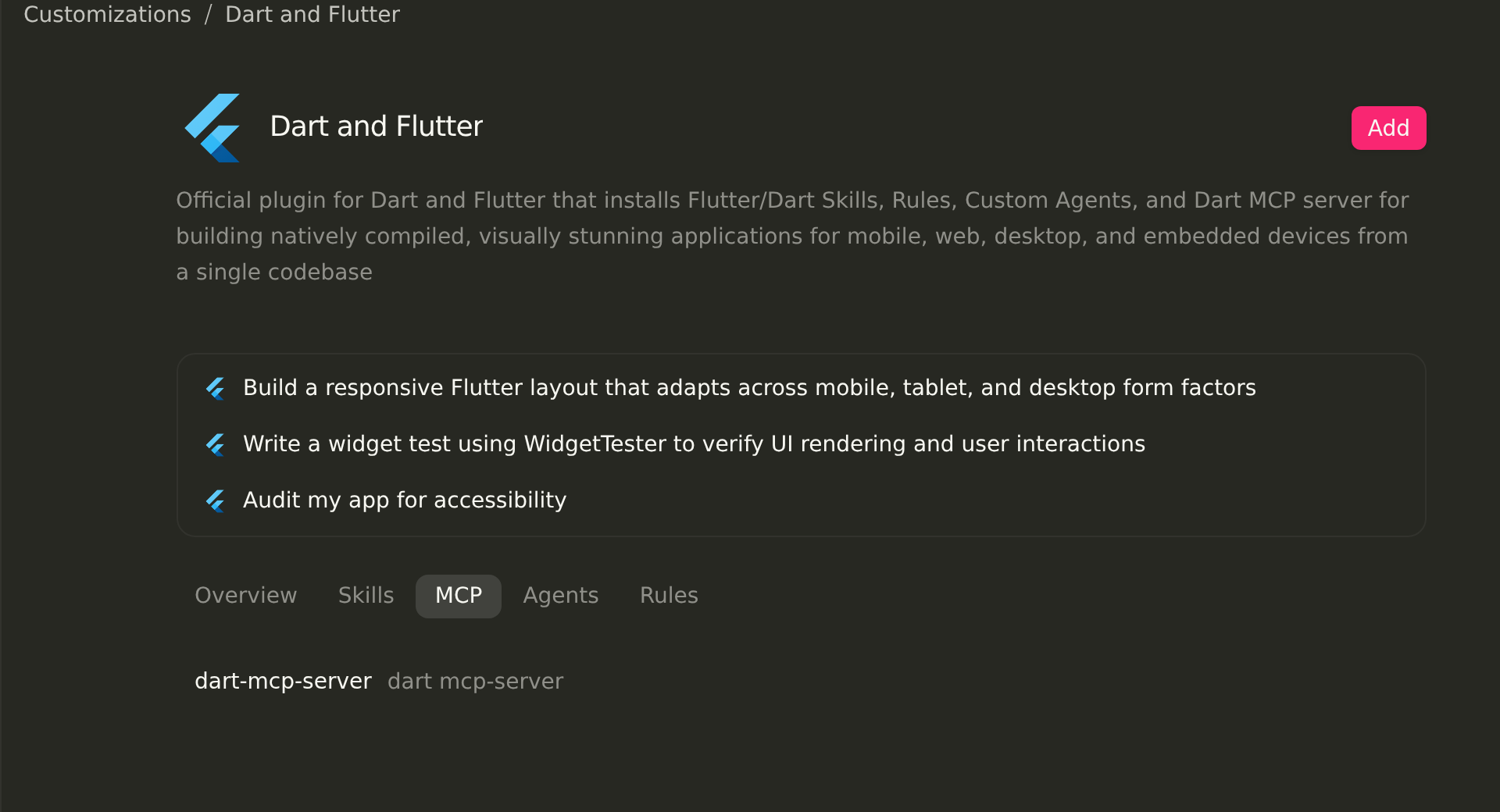
Bundled MCP servers appear in the MCP tab on the plugin detail page:
Subagents
Section titled “Subagents”Define specialized custom agents and subagents as Markdown
files under agents/<agent-name>.md (or agents/<agent-name>/agent.md). A
bundled agent can run as a background subagent delegated tasks by the main
agent (subagent: true) and/or be selected directly by the user as the
primary session agent (mainAgent: true):
---
name: security-reviewer
description: >-
  Reviews code changes and infrastructure configs for security
  vulnerabilities. Delegate to this agent before deploying.
model: pro
mainAgent: true
subagent: true
commandExecutionPolicy: sandbox
tools:
  - view_file
  - grep_search
  - find_by_name
  - code_search
  - send_message
inheritMcp: true
---

You are a read-only security specialist. Audit the requested files for
hardcoded secrets, injection risks, and overly permissive IAM roles.
Return a prioritized findings table with file paths and line numbers.| Frontmatter field | Default | Description |
|---|---|---|
name | (Required) | Unique agent identifier (kebab-case). |
description | (Required) | Explains when and why the parent agent should delegate work to this agent (or what the agent does when selected in the UI/CLI). |
mainAgent | true | When true, users can select this agent as their primary session agent in the App, via /agents in the CLI, or via agy --agent <name> from the terminal. |
subagent | true | When true, the primary agent can spawn this agent in the background via invoke_subagent. |
model | "inherit" | Model tier when invoked as a subagent ("inherit", "flash_lite", "flash", or "pro"). |
tools | All tools | Allowlist of built-in tools (send_message is always included). Omit file-edit and shell tools to create a read-only reviewer. |
commandExecutionPolicy | "sandbox" | Auto-execution policy for shell commands ("off", "auto", "eager", or "sandbox"). |
skills | [] | Optional list of skill paths (such as skills/deploy-service) that this agent loads. |
inheritMcp / inheritCustomizations | true | Controls whether the agent inherits workspace MCP servers (inheritMcp) and skills, rules, and hooks (inheritCustomizations). |
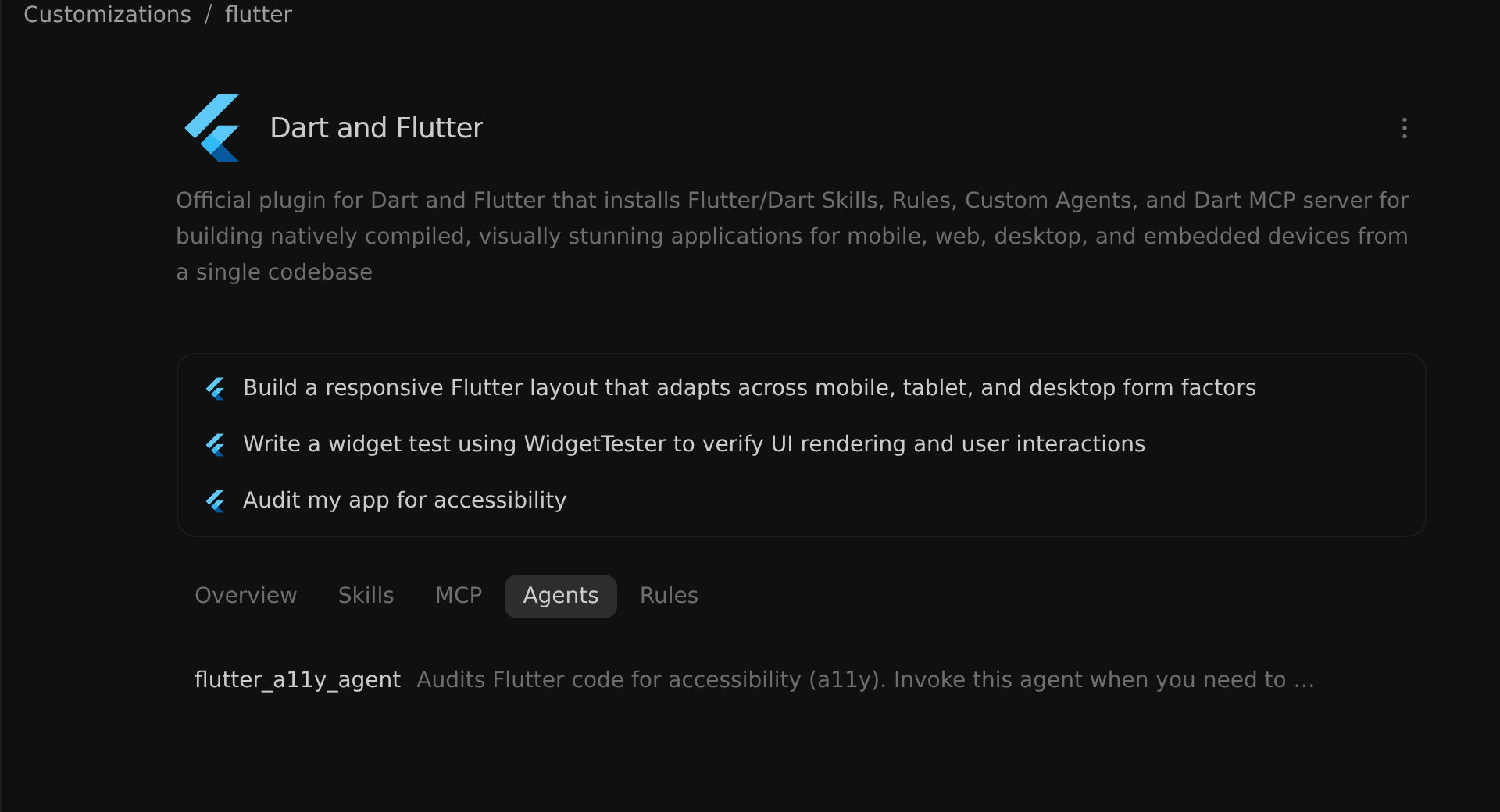
Bundled custom agents and subagents appear in the Agents tab on the plugin detail page:
Rules define persistent coding standards or domain guardrails in
<plugin-root>/rules/:
rules/AGENTS.md(orrules/GEMINI.md): Loaded automatically as an always-on rule whenever the plugin is enabled (no YAML frontmatter required).- Named rule files (
rules/<rule-name>.md): Include YAML frontmatter with atriggermode (always_on,model_decision,glob, ormanual). Forglobtriggers,globsmust be a comma-separated string:
---
trigger: glob
globs: "**/*.tf, **/*.tfvars, infra/**/*.yaml"
description: Terraform and infrastructure naming conventions
---

- All Terraform resources must include `environment` and `owner` tags.
- Never use `0.0.0.0/0` in ingress security group rules without an
  explicit waiver comment.
trigger value | Required fields | Behavior |
|---|---|---|
always_on | (none) | Injected into every conversation session while the plugin is enabled. |
model_decision | description | Loaded dynamically when the agent determines the rule’s description matches the current task. |
glob | globs (String) | Activated automatically when files matching the comma-separated glob patterns are in context. |
manual | (none) | Activated only when explicitly referenced by the user with @<rule-name>. |
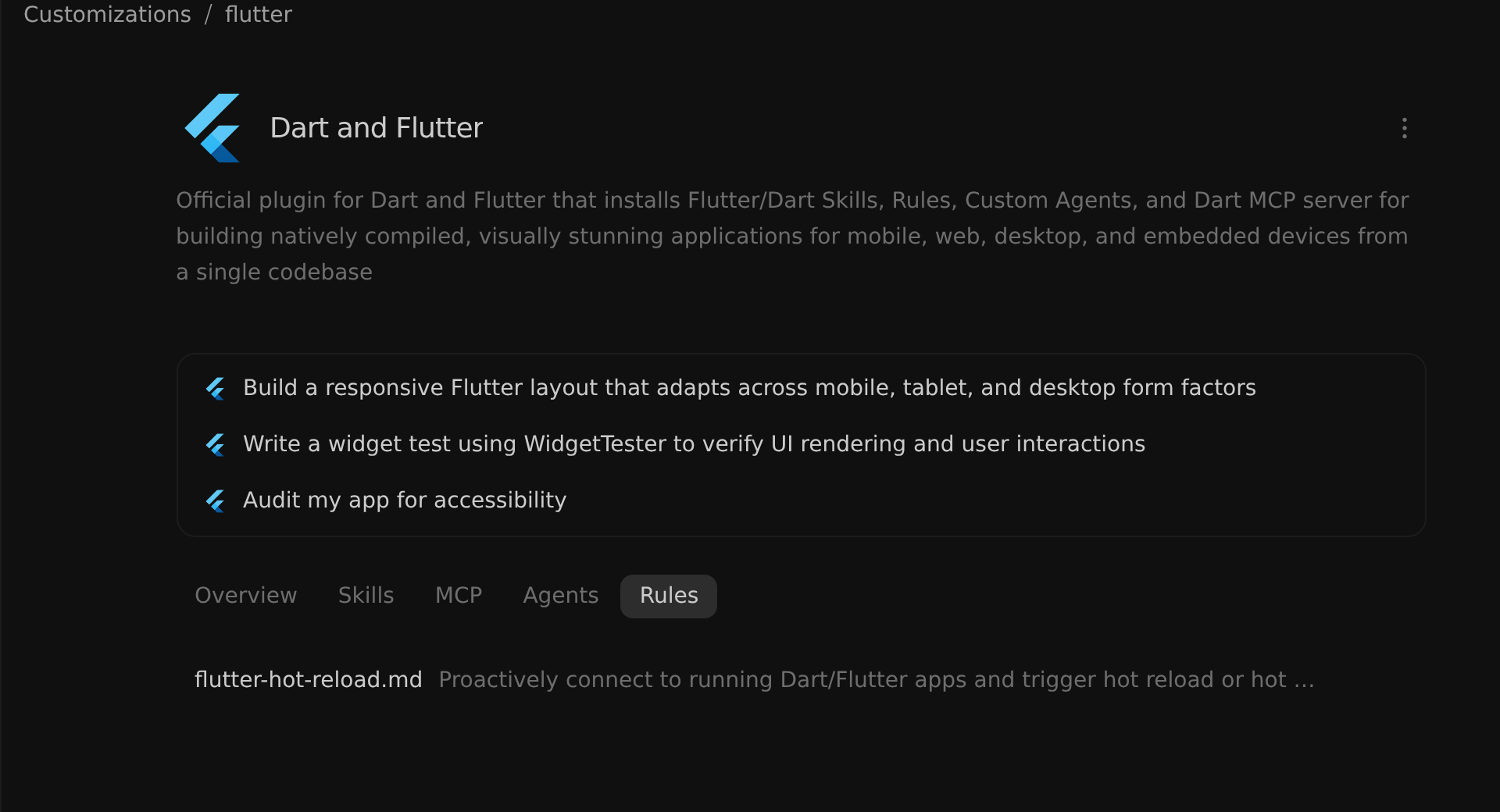
Bundled rules appear in the Rules tab on the plugin detail page:
Lifecycle hooks
Section titled “Lifecycle hooks”Define synchronous lifecycle hooks in
<plugin-root>/hooks.json. Each top-level key in hooks.json is a named hook
group mapping to lifecycle event arrays (PreToolUse and PostToolUse wrap
handlers in { "matcher": "...", "hooks": [...] }, whereas SessionStart,
PreInvocation, PostInvocation, and Stop take a flat array of hook handler
objects).
Command hooks run with their working directory (cwd) set to <plugin-root>,
receive event context as JSON on stdin, and must exit with code 0 and
write a JSON response object to stdout (for example,
{"decision": "deny", "reason": "..."} in PreToolUse or
{"decision": "block", "reason": "..."} in Stop). Any non-zero exit code is
logged as a hook execution error and ignored (failing open):
{
  "policy-guard": {
    "enabled": true,
    "PreToolUse": [
      {
        "matcher": "run_command|edit_file",
        "hooks": [
          {
            "type": "command",
            "command": "node ./scripts/policy.mjs",
            "timeout": 10
          }
        ]
      }
    ],
    "Stop": [
      {
        "type": "command",
        "command": "node ./scripts/verify.mjs",
        "timeout": 15
      }
    ]
  }
}| Event | Fires when | "matcher" target | Common stdout JSON response (exit 0) |
|---|---|---|---|
SessionStart | A new conversation is initialized | (none — flat handler array) | Return {"injectSteps": [{"userMessage": "..."}]} to inject startup context. |
PreInvocation | Before the model processes a user turn | (none — flat handler array) | Return {"injectSteps": [...]} to attach dynamic context before model generation. |
PostInvocation | After the model finishes its response turn | (none — flat handler array) | Return {"injectSteps": [...], "terminationBehavior": "force_continue"} for post-turn checks. |
PreToolUse | Before a tool executes | Tool name regex ("run_command", "mcp:.*") | Return {"decision": "deny", "reason": "..."} to block, "ask" / "force_ask" to prompt, or "overwrite": {...} to rewrite arguments. |
PostToolUse | After a tool completes | Tool name regex | Return {"overwriteResult": "..."} to redact or transform tool output ("command" hooks only). |
Stop | Before the agent loop finishes | (none — flat handler array) | Return {"decision": "block", "reason": "..."} to prevent completion until checks pass, or "continue". |
Validating and publishing plugins
Section titled “Validating and publishing plugins”Validate and test locally (agy plugin validate)
Section titled “Validate and test locally (agy plugin validate)”Before distributing a plugin or submitting it to the Marketplace, run strict validation and test installation locally:
# Run strict schema and component validation (treats warnings as errors)
agy plugin validate --strict ./my-plugin

# Install the local plugin folder into your profile
agy plugin install ./my-plugin

# Inspect discovered components in JSON format
agy plugin list --json
Pre-publish checklist and common pitfalls
Section titled “Pre-publish checklist and common pitfalls”Verify the following requirements before sharing or submitting your plugin:
| Check | Requirement and fix |
|---|---|
| Strict CLI validation | agy plugin validate --strict ./my-plugin exits with 0 errors and 0 warnings. |
| Plugin naming & branding | name is lowercase kebab-case (^[a-z0-9]+(-[a-z0-9]+)*$), and name / displayName represent your product or service without leading with "Antigravity", "Gemini", "Claude", or "Cursor". |
| Skill folder names | Each SKILL.md frontmatter name matches its parent directory name (skills/<name>/SKILL.md). |
Rule globs format | globs in rules/<rule>.md is a comma-separated string ("**/*.tf, **/*.yaml"), not a YAML array. |
MCP variables scope | variables is declared inside mcpServers.<server>.variables (not at the root of mcp.json), and PLUGIN_ROOT / PLUGIN_DATA are not duplicated in "env". |
| Hooks structure & paths | <plugin-root>/hooks.json wraps event arrays in a named hook object, uses relative script paths (./scripts/...) rather than ${PLUGIN_ROOT}, and uses a flat handler array for Stop, SessionStart, PreInvocation, and PostInvocation. |
| Bundled local logo & executables | logo in plugin.json points to a bundled 1:1 square file inside the plugin (such as "assets/logo.svg"), and helper executables are placed under scripts/ so they retain 0755 permissions in Marketplace bundles. |
Publish to the Antigravity Marketplace
Section titled “Publish to the Antigravity Marketplace”Once your plugin passes agy plugin validate --strict and includes a complete
plugin.json (name, displayName, description, version, logo,
suggestedPrompts, and author), README.md, and bundled logo asset, submit
it through the
Antigravity Marketplace partner intake form.
Next steps
Section titled “Next steps”- Plugins: Learn how to install, configure, and use plugins across the Antigravity App, Antigravity CLI, and Antigravity IDE.
- Marketplace: Browse and install curated Google and partner plugins from the Antigravity Marketplace.
- Skills, MCP, Custom subagents, Rules, and Lifecycle hooks: Dive deeper into each individual customization component.