Getting started
Section titled “Getting started”Welcome to Google Antigravity! Follow the instructions in this guide to get started on your preferred surface.
Download Antigravity 2.0
Section titled “Download Antigravity 2.0”Visit antigravity.google/download to download Google Antigravity 2.0. Select your operating system from the following table:
| Platform | Download |
|---|---|
| macOS | Requirements: macOS versions with Apple security update support. This is typically the current and two previous versions. Minimum version 12 (Monterey); x86 is not supported. |
| Windows | Requirements: Windows 10 (64-bit) |
| Linux | Requirements: glibc >= 2.28, glibcxx >= 3.4.25 (for example, Ubuntu 20, Debian 10, Fedora 36, RHEL 8) |
| Googlebook | Requirements: Googlebook OS (pre-installed on Googlebooks; update or reinstall through the Google Play Store) |
Installation
Section titled “Installation”If you get a notification asking whether you want to “Keep Both” or “Replace” Antigravity, select Replace. You are prompted to reinstall the IDE during installation if you choose to do so. If you don’t install it now and want to download it later, visit the download page.
Creating a project
Section titled “Creating a project”Agents work within projects, which define the boundaries of the folders and repositories they can access:
- Click the folder with a ”+” icon in the left sidebar.
- Click New Project.
- Click Add Folder to associate one or more local folders or Git repositories. Adding multiple folders provides your agent with full cross-repository context.
- Click Create.
- (Optional) Configure your project’s settings. Each project maintains its own isolated settings and security policies that the agent respects.
Starting an agent
Section titled “Starting an agent”Once your project is created, you can spawn an agent to start working on tasks:
- Type your goal or instruction in the chat input (for example, “Help me add a new feature”) and press Enter.
- Choose a Mode in the setup modal to boot up your agent:
- Local mode: The agent operates directly in your active folders.
- New worktree mode: The agent operates in an isolated Git worktree.
Basic navigation
Section titled “Basic navigation”Use the following keyboard shortcuts to navigate Antigravity 2.0:
| Action | macOS | Windows / Linux |
|---|---|---|
| Open conversation picker | ⌘K | Ctrl + K |
| Open file search | ⌘P | Ctrl + P |
| Focus input | ⌘L | Ctrl + L |
| New conversation | ⌘N | Ctrl + N |
| Next/previous conversation | ⌥ Up / Down | Alt + Up / Down |
Slash commands
Section titled “Slash commands”Use the following slash commands to control agent execution:
| Slash command | Description |
|---|---|
/goal | Run until the specified task is completely finished, without asking for intermediate input. |
/grill-me | Ask clarifying questions to align on the specific details of the plan before starting implementation. |
/schedule | Run an instruction as a one-time timer in the future or on a recurring schedule using scheduled tasks. |
/browser | Control browser debugging behaviors in Google Chrome. |
/plugin | Manage installed Marketplace plugins or create and configure custom plugin bundles. |
Welcome to Antigravity CLI! This guide provides a direct, high-level developer roadmap to install the client, launch the terminal user interface (TUI), and begin collaborating with autonomous agents.
Roadmap checklist
Section titled “Roadmap checklist”Complete the following sequential steps to launch your first session:
-
Install the client (fast path)
Run the appropriate fast-path command for your operating system:
macOS / Linux / Googlebook:
curl -fsSL https://antigravity.google/cli/install.sh | bashWindows (PowerShell):
irm https://antigravity.google/cli/install.ps1 | iexWindows (CMD):
curl -fsSL https://antigravity.google/cli/install.cmd -o install.cmd && install.cmd && del install.cmdBy default, the installer registers the
agybinary to your platform-specific directory:- macOS / Linux / Googlebook:
~/.local/bin/agy - Windows:
C:\Users\<username>\AppData\Local\agy\bin(where<username>represents your active Windows profile name).
- macOS / Linux / Googlebook:
-
Launch the TUI inside a project
Open a fresh terminal window, navigate to your target project codebase directory, and execute the launcher command:
agy -
Complete the first-launch setup
On your very first launch, the TUI walks you through a brief interactive setup:
- Color scheme: Select your preferred visual theme (Solarized, Dark, Solarized Light, or standard terminal colors).
- Rendering mode: Choose Alt-Screen mode (alternate buffer with full-screen scrolling) or Inline mode (sequential stream integrated with your terminal’s history).
- Workspace trust: Confirm that you trust the repository directory. Once confirmed, the agent indexes the files and stands ready.
-
Run your first agent task
Type the following instruction in the prompt box at the bottom of your TUI screen and press Enter:
Write a simple python script to fetch web page textThe agent reads the workspace, reasons about the task, and proposes a plan. For a detailed step-by-step tutorial on reviewing code and running test commands inside the TUI, follow the Tutorial guide.
Related resources
Section titled “Related resources”Optimize your local environment configurations and master advanced collaboration tools:
- Best practices: Master verification loops, planning phases, rule files, and session checkpoints.
- Troubleshooting: Resolve common path, keyring, or SSH forwarding errors.
- CLI reference: Review reference sheets cataloging all slash commands, shortcuts, and JSON keys.
Download Antigravity IDE
Section titled “Download Antigravity IDE”Visit antigravity.google/download to download Antigravity IDE.
Antigravity IDE supports the following platforms and minimum versions:
- macOS: macOS versions with Apple security update support (typically the current and two previous versions). Minimum version 12 (Monterey); x86 is not supported.
- Windows: Windows 10 (64-bit).
- Linux: glibc >= 2.28, glibcxx >= 3.4.25 (for example, Ubuntu 20, Debian 10, Fedora 36, RHEL 8).
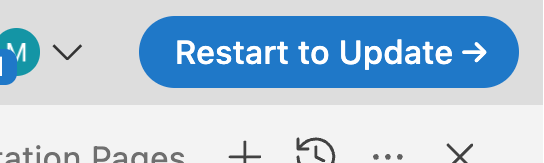
The application prompts you when updates are available: